Are you a seasoned gamer balancing work and family life but still want to unlock new experiences on Roblox? Understanding how to verify your age on Roblox is crucial for accessing features like voice chat, more mature games, and ensuring a safer environment for everyone. This comprehensive guide will walk you through the entire process, addressing common concerns about privacy and security. Many gamers today, part of the 87 percent who regularly play, are looking for ways to enhance their social gaming experience. Age verification on platforms like Roblox directly supports this by opening up more interactive and appropriate content. Whether you are looking to join specific communities, participate in advanced game modes, or simply ensure your profile reflects your true age for better content recommendations, this guide has you covered. We will delve into the steps required, the necessary documents, and what to expect during the verification process. Stay current without the hype and discover practical solutions for maximizing your Roblox enjoyment. This article aims to make the age verification process straightforward and secure, empowering you to explore everything Roblox has to offer with confidence and peace of mind.
How to Verify My Age on Roblox?
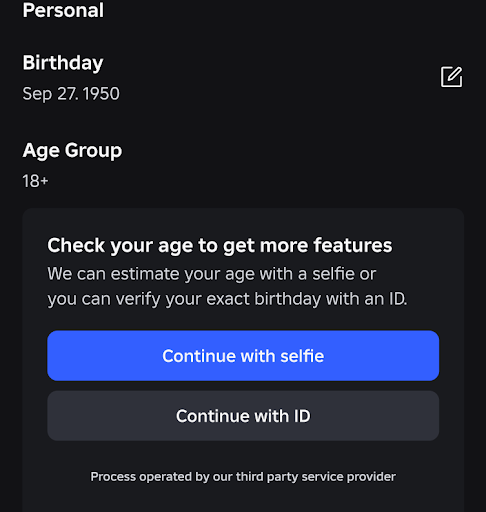
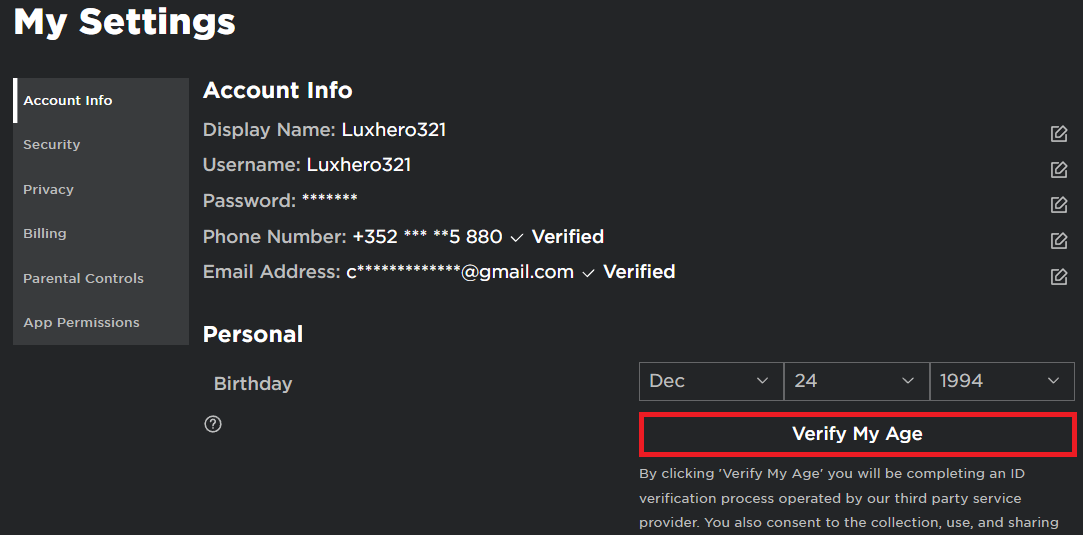
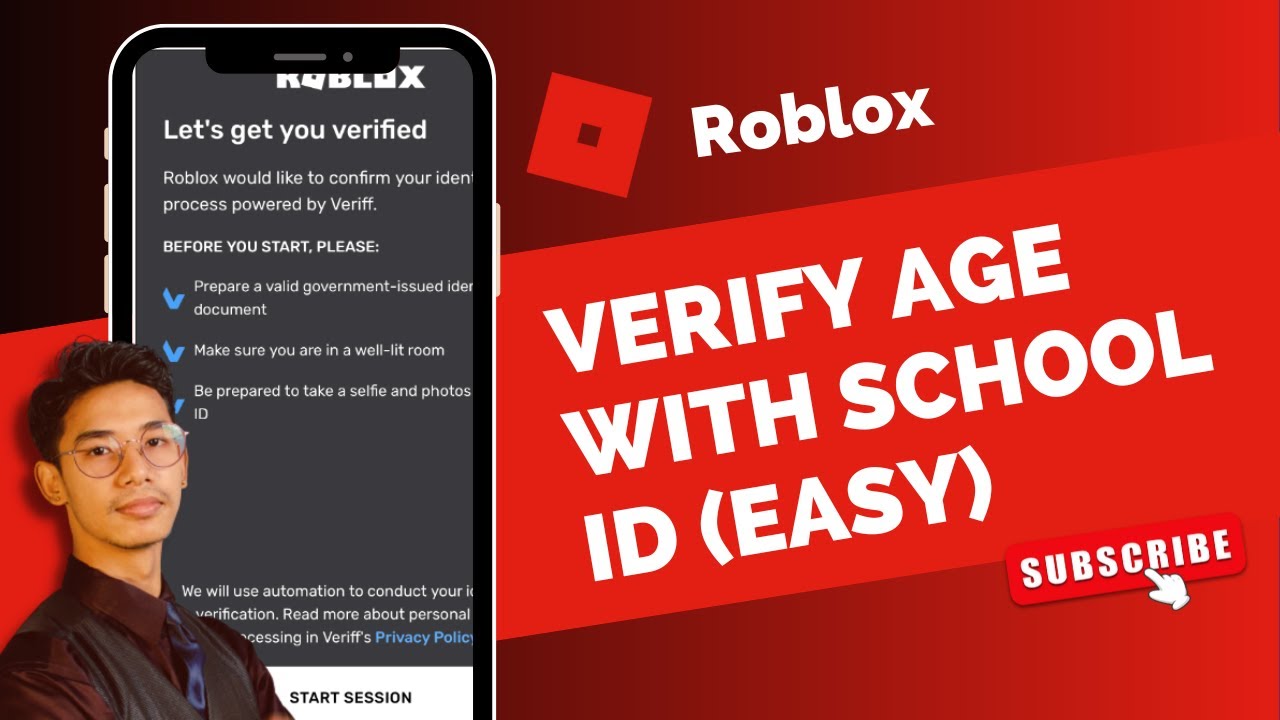
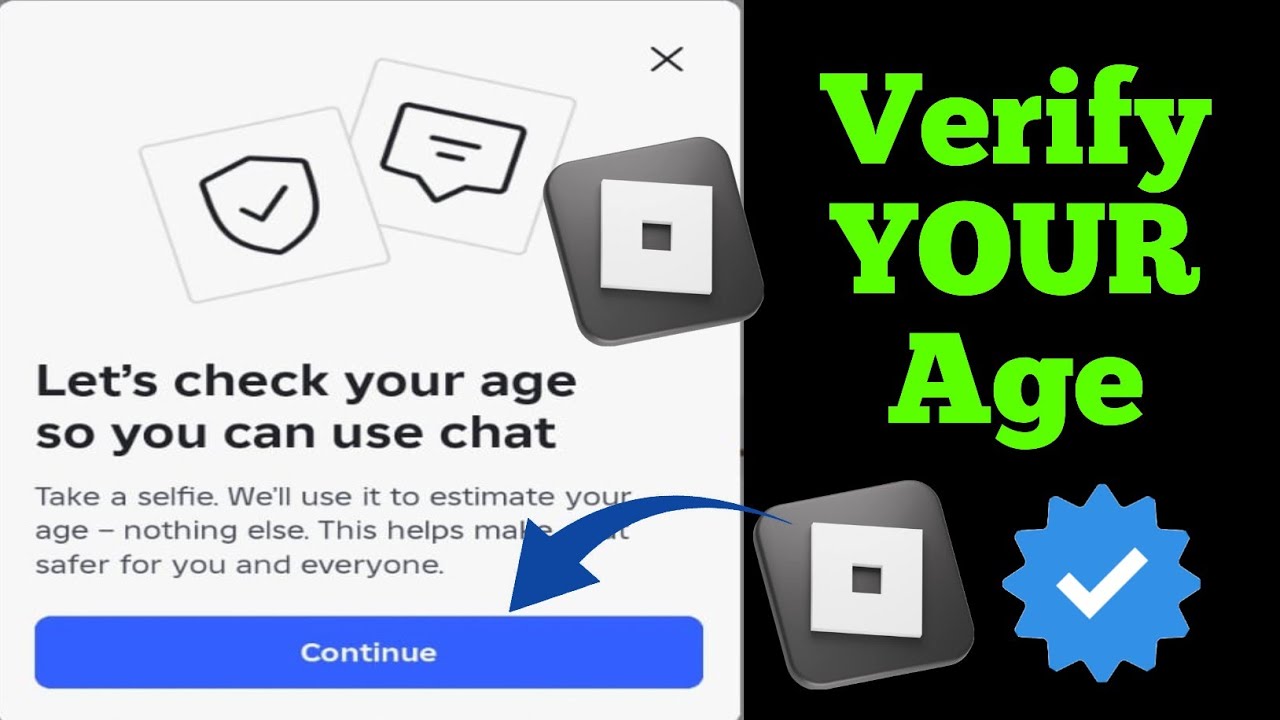
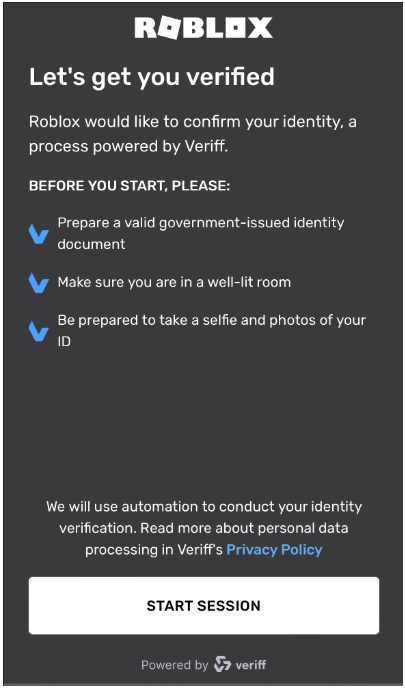
Verifying your age on Roblox is a straightforward process designed to unlock more features like voice chat and 17+ experiences. You will need a government-issued photo ID, such as a driver's license or passport, and a device with a working camera. Roblox partners with a secure third-party service for this. Simply navigate to your account settings, select 'Verify My Age,' and follow the on-screen prompts to scan your ID and take a live selfie. The system rapidly confirms your age without storing your sensitive documents, ensuring your privacy while enhancing your gaming experience.
What are the benefits of Roblox age verification for adult gamers?
For adult gamers, age verification on Roblox unlocks key features that greatly enhance their experience. The primary benefit is access to voice chat, which allows for more dynamic social interaction and coordination within games. It also grants entry to exclusive 17+ experiences, offering mature themes and complex gameplay tailored to an older demographic. This fosters more engaging social play and relaxation, aligning with how many busy adults use gaming to unwind and connect with others. Verification also contributes to a safer, more structured online environment, which is reassuring for players who also have families using the platform.
Why does Roblox require a government ID for age verification?
Roblox requires a government-issued photo ID for age verification to ensure accuracy, prevent fraud, and comply with online safety regulations. This method is an industry standard for securely confirming a user's true age, as official IDs are difficult to forge and provide reliable data. By using a robust verification process, Roblox can confidently grant access to age-restricted content and features like voice chat, maintaining a safer and more age-appropriate environment for all users, particularly in line with parental concerns and platform integrity.
Is Roblox age verification safe and private?
Yes, Roblox emphasizes that its age verification process is safe and private. They utilize a specialized third-party identity verification service that employs advanced technology for scanning IDs and liveness detection. Critically, Roblox states that it does not store your raw government ID documents or biometric data (like facial scans) after verification. Instead, the system processes this information to confirm your age, generates an anonymous value to mark your account as verified, and then discards the sensitive personal details. This approach adheres to strong privacy principles, addressing concerns from gamers about data security.
How long does it take for Roblox to verify my age?
The age verification process on Roblox is typically very fast, often completed within minutes. Once you upload your government-issued ID and take a live selfie through the guided process, the automated system rapidly analyzes the information. It cross-references your face with the ID photo and extracts your birthdate to confirm your age. Barring any technical glitches or issues with your ID, you should receive a confirmation almost immediately, allowing you to quickly gain access to age-restricted features and enhance your Roblox experience without significant delay.
Can I use my smartphone camera for Roblox age verification?
Absolutely, using your smartphone camera is the recommended and most convenient way to complete Roblox age verification. The process is designed with mobile devices in mind, leveraging high-quality smartphone cameras to accurately scan your government-issued ID and capture a clear live selfie. This makes the verification accessible and efficient for the vast majority of users. Ensure you have good lighting and a steady hand to get the best possible images for the system to process successfully.
What happens if my Roblox age verification fails multiple times?
If your Roblox age verification fails repeatedly, first ensure your ID is valid, unexpired, and clearly visible without glare. Common issues include blurry photos, obscured text, or poor lighting. Try clearing your browser cache or switching devices. Ensure your selfie meets requirements, showing your full face without obstructions and following liveness prompts. If problems persist, it is best to contact Roblox Support. They can provide specific troubleshooting steps or investigate further, as persistent failures often indicate a unique technical issue or a need for manual review.
Hey fellow gamers! If you are anything like me, you are probably balancing a demanding job, family responsibilities, and squeezing in some precious gaming time whenever possible. Roblox, a platform often associated with younger players, has evolved tremendously, now offering a vast universe of experiences that appeal to an older demographic, too. But to truly unlock some of its most engaging features, like immersive voice chat or exclusive 17+ experiences, you will need to verify your age. This isn't just about unlocking content; it is about creating a safer, more tailored environment for everyone, something especially important for those of us who also have kids navigating the digital world.
As busy adults, we value efficiency, security, and getting straight to the point. Nobody wants to spend their limited gaming hours wrestling with confusing setup processes or worrying about their data privacy. With 87 percent of US gamers regularly playing and many averaging over 10 hours a week, optimizing our gaming experience is key. This month, social gaming trends continue to dominate, with platforms like Roblox fostering massive communities. Age verification plays a pivotal role in ensuring these communities remain positive and age-appropriate. This guide is designed to be your trusted friend, offering practical, no-nonsense advice on how to verify your age on Roblox, helping you seamlessly integrate into its expanding social landscape.
We will cover everything from why age verification matters to the precise steps you need to take, addressing common pain points and ensuring you can get back to what you love most: enjoying your game time. So, let us dive in and get your Roblox experience leveled up!
Why Should I Verify My Age on Roblox?
Verifying your age on Roblox is more than just a formality; it is a gateway to a richer, safer, and more personalized experience. For many adult gamers, especially those in their 30s and 40s who juggle life's many demands, this step unlocks features that truly enhance their relaxation and social play. The primary benefits include access to voice chat, which allows for real-time communication within games, fostering deeper social connections. It also opens up exclusive 17+ experiences, which are curated to offer more mature themes and complex gameplay, catering to an older audience.
Furthermore, age verification helps Roblox uphold a safer environment, particularly for younger users, by segmenting content and interactions based on verified ages. This alignment with current social gaming trends, where community and appropriate content are paramount, improves the overall user experience for everyone. It demonstrates a commitment to responsible gaming, an increasingly important aspect for parents and adult players alike who value skill-building and positive interactions.
What Documents Are Accepted for Roblox Age Verification?
Roblox requires official government-issued photo identification to verify your age. This is standard practice across many online platforms to ensure security and accuracy. Generally, you can use documents such as a driver's license, state ID card, passport, or residence permit. It is crucial that the document you choose is current, not expired, and clearly shows your full name, date of birth, and a recognizable photograph. The system is designed to read these details accurately, so make sure your ID is in good condition.
When preparing your document, ensure there is no glare on the photo or text, and that all information is legible. Digital copies or scans are not typically accepted; you will need to use the live scanning feature within the Roblox app or website, which captures images in real-time. This real-time capture helps prevent fraud and ensures the document is genuinely presented by the account holder. Always have your physical ID ready when you initiate the process to avoid delays.
How Does Roblox Age Verification Work Technically?
Roblox partners with a third-party identity verification service to handle the age verification process. When you initiate verification, you will be prompted to use your device's camera to scan a government-issued photo ID and then take a selfie. The technology used here is advanced. It performs liveness detection on your selfie to ensure you are a real person and not just a photo of a person. Simultaneously, it uses optical character recognition (OCR) to read the details from your ID, cross-referencing your face with the photo on the ID. This process happens almost instantaneously.
Importantly, Roblox states that it does not store your raw identity document or biometric data. Instead, it generates an anonymous value that confirms your age and then discards the sensitive information. This design choice aims to protect user privacy, a common concern among gamers, especially those wary of giving out personal data online. The entire procedure is typically quick, often completing within minutes, allowing you to get back to your game without significant interruption.
Is My Privacy Protected During Roblox Age Verification?
Yes, Roblox emphasizes user privacy and data security during the age verification process. As mentioned, they utilize a third-party service specifically designed for secure identity verification. Roblox has explicitly stated that it does not store your government ID documents or raw biometric data, such as facial scans. Instead, the system processes the information to confirm your age and generates an anonymous derivative value that confirms the verification without retaining your sensitive personal details. This approach aligns with industry best practices for data minimization and privacy by design.
For adult gamers who are balancing careers and families, concerns about digital privacy are paramount. Roblox's commitment to not storing your raw data aims to alleviate these worries, ensuring that your personal information is handled with care. The verification process is solely to confirm your age category, enabling access to age-restricted features, not to collect or store your identity long-term. Always review Roblox's privacy policy and terms of service for the most up-to-date information on how your data is handled.
What Features Are Unlocked After Age Verification on Roblox?
Once your age is successfully verified on Roblox, a whole new world of interaction and content becomes available. The most significant unlock is access to Spatial Voice, Roblox's voice chat feature. This allows for more dynamic and immersive communication within supported experiences, making social gaming much more engaging. Imagine coordinating strategies with teammates or simply chatting with friends in a more natural way; this is a huge draw for the 60% of gamers who prioritize social play.
Additionally, verified users gain access to 17+ experiences. These are games and creations specifically designed for older audiences, often featuring more complex narratives, sophisticated mechanics, or mature themes that are not suitable for younger players. This expands the range of content significantly, catering to the diverse interests of adult gamers. It also allows developers to create more targeted and advanced experiences without worrying about broad age restrictions, enriching the platform for everyone.
Can I Verify My Age on Roblox Using a Mobile Device?
Absolutely! In fact, verifying your age on Roblox is often most convenient and effective when done on a mobile device. The process relies heavily on using your device's camera to scan your government-issued ID and take a live selfie. Modern smartphones and tablets typically have high-quality cameras that can accurately capture the necessary details for verification. This is especially relevant for Gen Z/Millennial gamers who frequently engage in mobile gaming and cross-play, often preferring the flexibility of their phones for platform interactions.
When you initiate the age verification process within the Roblox app or website on your mobile device, you will be guided through a series of steps that utilize your camera. Ensure you have good lighting and a steady hand for clear scans. The mobile-first approach reflects the dominance of mobile gaming, a significant trend this month, and ensures accessibility for a broad user base. It is a seamless process designed for convenience, allowing you to complete verification on the go.
What if My Age Verification Fails or Gets Stuck?
Experiencing issues during age verification can be frustrating, especially when you are eager to dive into new features. If your age verification fails or gets stuck, there are several common troubleshooting steps you can take. First, double-check that the government-issued ID you are using is valid, unexpired, and clearly visible. Blurry images, glare, or an outdated ID are frequent causes of failure. Ensure you are in a well-lit area and holding your ID steadily for the scan.
Another common issue can be with the selfie. The system performs liveness detection, so make sure your face is fully visible, and you are following any on-screen prompts (like turning your head slightly). Avoid hats, sunglasses, or anything that obscures your face. If the problem persists, try clearing your browser's cache and cookies, or try a different device if possible. Sometimes, network issues can also interfere, so ensure you have a stable internet connection. If all else fails, reaching out to Roblox Support is your next best step; they can provide specific guidance based on your situation. Remember, patience is key, and most issues can be resolved.
How Can I Update My Age on Roblox After Verification?
Once your age has been successfully verified on Roblox, your account's age will be reflected as 13+ or 17+, depending on your actual age. This age status is generally permanent and cannot be manually changed through your account settings post-verification. The purpose of the robust verification process is to establish a confirmed age, and repeatedly changing it would undermine the security and integrity of the system.
If there was a genuine error in the verification process or if you believe your age was incorrectly recorded after verification, your primary course of action would be to contact Roblox Support. They would be able to review your case and potentially guide you through any necessary steps for correction, though such instances are rare. For the vast majority of users, once verified, your age status on Roblox remains fixed, allowing you consistent access to age-appropriate features and content.
Can I Use Age Verification for Parental Controls on My Child's Account?
While verifying your own age on Roblox unlocks features for *your* account, the age verification process itself isn't directly designed as a parental control tool for *your child's* account. However, understanding age verification is crucial for managing your child's experience on the platform. Roblox's parental controls are primarily managed through the account's privacy settings and a Parental PIN. If your child's account is correctly set to an age under 13, their access to certain features and content will be automatically restricted, and voice chat will not be available.
As a parent, you can set up a Parental PIN on your child's account to lock certain settings, preventing them from changing their privacy levels or spending Robux without your permission. You can also view their activity history. The age verification discussed in this guide is specifically for an individual user to gain access to mature features, not to control other accounts. For comprehensive parental controls, focus on setting up the PIN, reviewing privacy settings, and utilizing Roblox's Family features directly within your child's account settings.
Final Thoughts: Level Up Your Roblox Experience
Navigating the digital landscape while balancing life's demands can feel like a boss battle sometimes. But with this guide, you now have the tools to conquer the Roblox age verification process. Unlocking voice chat and 17+ experiences will undoubtedly enhance your relaxation, skill-building, and social play on the platform. Remember, modern gaming is about connecting, exploring, and having fun, and ensuring your account is accurately set up is a key part of that. As a community of gamers who value smart play and staying current without the hype, taking these steps simply makes your time more rewarding.
So go ahead, verify your age, and dive into the richer, more interactive world Roblox has to offer. What's your biggest gaming challenge this month? Share it in the comments below!
FAQ Section
What is Roblox age verification?
Roblox age verification is a process using a government-issued ID and a selfie to confirm a user's age, enabling access to features like voice chat and 17+ experiences, ensuring a safer and more age-appropriate platform environment.
Why is age verification important on Roblox?
Age verification is crucial for unlocking advanced social features like voice chat and accessing content explicitly designed for users aged 17 and above, enhancing safety and tailoring the platform experience for different age groups.
What types of ID does Roblox accept for age verification?
Roblox accepts government-issued photo IDs such as driver's licenses, passports, and state ID cards. The ID must be valid, unexpired, and clearly show your photo, name, and date of birth.
How long does Roblox age verification take?
The age verification process on Roblox typically takes only a few minutes to complete, as the system uses advanced technology to quickly scan your ID and verify your liveness via a selfie.
Does Roblox store my personal ID information after verification?
No, Roblox states it does not store your raw government ID documents or biometric data. It generates an anonymous confirmation of your age and discards the sensitive personal information after verification.
Can I use my phone for Roblox age verification?
Yes, using a mobile device for Roblox age verification is highly recommended due to its camera quality and ease of use for scanning your ID and taking a selfie within the process.
Roblox age verification process, unlock voice chat, access 17 plus experiences, required documents for age verification, privacy and data security, troubleshooting age verification issues, parental controls Roblox
35


How To Verify Age On Roblox YouTube . Roblox Age Checks For Chat Explained How The New Rules Work Roblox Id Age Check . HOW TO VERIFY YOUR AGE ON ROBLOX TO ENABLE VOICE CHAT 2022 YouTube . How To Verify Your Age On Roblox Full Guide YouTube . How To Verify Age On Roblox Age Verify Roblox YouTube


How To Verify Age In Roblox 2026 Full Guide YouTube . How To Verify Your Age On Roblox Using National ID Verify Roblox Age . How To Verify Age On Roblox YouTube . How To Verify Age On Roblox Easy YouTube . How To Verify Age On Roblox Step By Step YouTube



Printer Taking Ages To Print . How To Get Voice Chat On Roblox Spatial Voice On PC Mobile Verify Roblox Age . How To Verify Your Age On Roblox PHONE PC YouTube . How To Enable And Use Voice Chat On Roblox Tech How 2 Verify Age. How To Verify Your Age On Roblox Easy Guide YouTube



How To Verify Your Age On Roblox 2025 YouTube . How To Verify Your Age On Roblox Full Guide YouTube . How To Verify Your Age On Roblox Quick Easy YouTube . Roblox Age Unverified Lets Get You Sorted . How To Verify Your Age On Roblox Without ID Or Passport Verify Roblox


How To Verify Your Age On Roblox 2025 YouTube . Why Won T Hulu Verify My Email Dibujos Cute Para Imprimir . Roblox Age Issues Platform Usage Support Developer . How To Verify Age On Roblox Mobile YouTube . Why Do Apartments Require Id To Tour At Randall Maupin Blog



Starting Today Completing An Age Check Or ID Is Now G . How To Verify Your Age On Roblox In 2022 Easy Guide Beebom Start Session . How To Verify Your Age On Roblox Roblox Age Check 2026 YouTube . Ultimate Roblox Age Guide March 2026 Safety First Roblox Age Guide . How To Verify Your Age On Roblox In 2022 Easy Guide Beebom Verify My Age Button



Option To Verify Age With Selfie Or ID Verify With ID . How To FIX ROBLOX AGE Not Working NO ID FACE SCAN . How To Verify Your Age On Roblox YouTube . Age ID Roblox Support. How To Verify My Age On Roblox Verify For Voice Chat YouTube