Are you looking to upgrade your gaming rig but need to offload your current setup first? Finding reliable pc buyers near me can seem daunting, but it's a smart way to get fair value for your gear quickly and efficiently. This comprehensive guide is packed with expert tips and tricks designed for the average gamer, especially those balancing work, family, and play. Discover how to prepare your PC for sale, price it competitively, and connect with serious local buyers. We'll help you navigate the process, from data security to safe transactions, ensuring a smooth sale. Learn to maximize your return and make space for that shiny new upgrade without the hassle of shipping. This article taps into trending strategies for local sales, making it easier than ever to turn your old hardware into cash for new adventures.
Q: Where can I find reliable pc buyers near me for my used gaming rig?
A: The best places to start looking for reliable local PC buyers are Facebook Marketplace, local gaming community groups on social media platforms or Discord, and Craigslist. For even closer connections, check out Nextdoor or inquire with local independent computer repair shops that sometimes buy used systems for refurbishment or parts. Always prioritize public, safe meeting locations.
Q: How do I determine a fair price for my old gaming PC?
A: To price your PC fairly, research recent sales of similar systems or individual components on platforms like eBay (filtering for sold items) and Facebook Marketplace. Factor in the age, condition, and specifications of your hardware, deducting for depreciation. A good starting point is often 60-70% of the original cost for a well-maintained system within its first two years, adjusting downwards for older tech or wear.
Q: What are the essential steps to prepare my PC before selling it to local buyers?
A: First, back up all your personal data. Then, perform a secure data wipe on all storage drives using appropriate software (like DBAN for HDDs or manufacturer tools for SSDs) to prevent data recovery. Finally, clean the internal components and exterior of the PC thoroughly with compressed air and a microfiber cloth, then reinstall a fresh operating system if desired.
Q: Is it safer to sell my gaming PC as a whole or to part it out?
A: Selling as a whole is generally safer and simpler, reducing the number of transactions and interactions. However, parting out high-demand components like a recent GPU or CPU can often yield a higher total return, albeit requiring more time and effort. Evaluate the value of individual parts versus the convenience of selling a complete system.
Q: What payment methods are safest when dealing with local PC buyers?
A: For local transactions, cash in hand is the safest payment method, allowing for immediate verification. If using digital payments, consider platforms like PayPal (via Goods and Services for buyer/seller protection, with the buyer paying fees) or Zelle/Venmo only for exchanges with trusted individuals or within secure environments where you can confirm funds are received instantly before handing over the PC. Avoid checks or third-party apps with complex procedures.
Q: How do I protect my personal privacy when selling a used computer locally?
A: Protecting your privacy involves more than just deleting files. You must securely wipe all drives, reinstall the operating system, and log out of all personal accounts (cloud services, email, gaming launchers) before the sale. Never share unnecessary personal information with buyers, and use a temporary email for communications if you're uncomfortable sharing your primary one.
Q: Can I still sell my PC if some components are faulty or it's not fully working?
A: Yes, absolutely! Even a non-working PC can be sold for its functional components. Identify which parts are still operational (e.g., GPU, RAM, CPU, PSU, case) and list them individually. Be completely transparent about any known faults or non-working components. Many local PC enthusiasts and repair shops are looking for specific parts for their projects or repairs.
Hey fellow gamers! Ever felt that itch for a new GPU or a completely fresh build, only to realize your current rig is still perfectly functional but just not cutting it anymore? You're not alone. Many of us, especially those juggling jobs, families, and precious gaming hours, face the upgrade dilemma. How do you get fair value for your old gaming PC without the hassle of shipping or dealing with endless lowball offers? The answer often lies closer than you think: finding reliable pc buyers near me. With 87% of US gamers regularly diving into virtual worlds, and many spending over 10 hours a week, the market for pre-owned gaming hardware is robust. Whether you're making space for the latest AAA title or just upgrading your setup for better social play, selling your PC locally can be the most efficient and profitable path.
This guide is crafted for gamers like us – those who appreciate performance, value for money, and staying current without succumbing to hype. We'll tackle common pain points, from ensuring your data is safe to finding trustworthy buyers, so you can fund your next gaming adventure with confidence. Let's dive in and make your old gear work for your new dreams.
What are the best options for finding PC buyers near me?
Finding local PC buyers involves a mix of online platforms and community resources. The most effective options often blend visibility with a focus on local transactions, ensuring you connect with serious buyers directly in your area. For many gamers, convenience and security are top priorities when selling used equipment.
- Facebook Marketplace: This is often the go-to for local sales. It's free, reaches a massive local audience, and allows direct messaging. You can easily share photos and specs.
- Craigslist: A classic for local classifieds, Craigslist remains a viable option. While it can sometimes attract less serious inquiries, it's completely free and widely used.
- Local Gaming Forums & Discord Servers: If your city or region has dedicated gaming communities, these are goldmines. Members are often enthusiasts looking for specific components or full builds and appreciate buying from fellow gamers.
- Nextdoor: This neighborhood-focused app connects you with people in your immediate vicinity. It's excellent for selling larger items like PCs where local pick-up is essential.
- Local Computer Repair Shops or Resellers: Some smaller, independent shops might be interested in buying used PCs for parts or to refurbish and resell. It might not always yield the highest price, but it's often quick and hassle-free.
- University/College Campuses: For those near academic institutions, students are often on the lookout for budget-friendly gaming or study PCs. Check local student forums or bulletin boards (physical or virtual).
How do I prepare my gaming PC for sale?
Preparing your PC for sale goes beyond just a quick wipe-down; it involves ensuring both hardware and software are ready for a new owner. This step is crucial for both security and maximizing your PC's appeal. Gamers appreciate a machine that's clean, functional, and ready to go.
- Back Up Your Data: This is paramount. Transfer all personal files, photos, game saves, and important documents to an external drive or cloud storage.
- Wipe Your Drives: A simple file deletion isn't enough. You need to perform a full factory reset or use specialized software to securely erase your hard drives and SSDs. Tools like DBAN (for HDDs) or secure erase functions built into SSDs are recommended. This prevents sensitive personal information from falling into the wrong hands.
- Clean the Hardware: Dust is the enemy of performance and aesthetics. Use compressed air to clean out fans, heatsinks, and the interior of the case. Wipe down the exterior with a microfiber cloth. A clean PC looks well-maintained and performs better.
- Reinstall Operating System (Optional but Recommended): A fresh installation of Windows or your preferred OS ensures the buyer starts with a clean slate, free of your old software and potential conflicts. This also proves the PC is fully functional.
- Gather Documentation: If you have original boxes, manuals, or receipts for major components (GPU, CPU), these can add value and peace of mind for the buyer.
- Test All Components: Briefly run benchmarks or a demanding game to ensure everything is in working order. Be transparent about any known issues.
What's the best way to price my used gaming PC?
Pricing your used gaming PC correctly is key to attracting serious pc buyers near me and avoiding lengthy negotiations. It's a balance between getting fair value and being competitive in the local market. Gamers on a budget are always looking for a good deal, but they also expect a certain level of performance for their money.
- Research Current Market Value: Check recent completed sales on eBay (filter by 'Sold Items'), Facebook Marketplace, and other local listings for similar builds or components. This gives you a realistic benchmark.
- Consider Component Value: Break down your PC by individual component (CPU, GPU, RAM, SSD/HDD, Motherboard, PSU, Case). Research the going rate for each. A powerful GPU or CPU often holds its value well.
- Factor in Age and Condition: Newer components generally command higher prices. Be honest about wear and tear, cosmetic damage, or any performance quirks.
- Deduct for Depreciation: Like cars, PCs depreciate. A general rule of thumb is 20-30% depreciation in the first year, then 10-15% annually afterward, depending on the component and market demand.
- Be Realistic: While your PC might hold sentimental value, buyers are looking for a deal. Don't expect to recoup what you paid, especially for older generations of hardware.
- Set a Firm but Flexible Price: List a price, but be prepared for some negotiation. You might list slightly higher than your absolute minimum to allow for haggling.
- Highlight Unique Selling Points: Did you invest in a premium cooler, high-end case, or RGB lighting? Mention these as added value.
Are there risks involved when selling to local PC buyers?
Selling anything locally carries some inherent risks, but with proper precautions, you can mitigate most of them. For busy adult gamers, personal safety and a smooth transaction are paramount. Understanding these risks helps you prepare for a secure sale.
- Scams and Fraud: Be wary of buyers offering to pay with cashier's checks, money orders, or through third-party apps with unusual payment requests. Always prefer cash in hand or secure electronic payments like PayPal (goods and services, with the buyer paying fees) or Venmo/Zelle (only for trusted, in-person exchanges).
- Personal Safety: Meeting strangers can be risky. Always choose a public, well-lit location, preferably during daylight hours. Many police stations offer 'safe exchange zones' for online transactions. Bring a friend if possible.
- Lowball Offers and Time Wasters: You'll likely encounter individuals who make extremely low offers or ask endless questions without genuine intent to purchase. Set clear boundaries and don't feel pressured to respond to every inquiry.
- Hardware Swaps: Although rare, some unscrupulous buyers might attempt to swap out your good components for their faulty ones during a meeting, claiming your PC doesn't work. Demonstrate the PC working just before the sale, if feasible. Take photos/videos of your components beforehand.
- After-Sale Issues: Once the PC leaves your hands, it's generally not your responsibility. State clearly that the sale is 'as-is' with no returns or warranties.
Should I sell my PC as a whole or parts?
The decision to sell your gaming PC as a complete unit or to dismantle it and sell components depends on several factors, including your patience, the value of individual parts, and the local market for pc buyers near me. This is a common question for gamers looking to maximize their return.
- Selling as a Whole:
Pros: Simpler, less time-consuming, appeals to buyers who want a ready-to-use system (e.g., new gamers, those on a budget).
Cons: Might not fetch the highest total value if certain components are highly desirable; fewer potential buyers if the complete system's price is high.
Best for: Mid-range systems, older builds, or if you prioritize convenience. - Selling as Parts:
Pros: Can often yield a higher total return, as high-demand components (GPUs, CPUs, RAM) hold their value well and appeal to upgraders. Attracts a wider range of buyers looking for specific upgrades or replacement parts. Easier to ship smaller items if local demand for parts is low.
Cons: Much more time-consuming (listing multiple items, answering many questions, individual packaging). Requires some technical knowledge to safely dismantle the PC. You might be left with less desirable parts that are hard to sell.
Best for: High-end systems with premium, relatively new components (e.g., RTX 40-series GPU, Ryzen 7000/Intel 14th Gen CPU) or if you enjoy tinkering and have the time.
What kind of documentation do I need when selling a PC?
While not strictly necessary for every sale, having certain documentation can significantly increase a buyer's confidence and potentially your selling price. For gamers who take pride in their rigs, these details show good ownership and transparency.
- Original Purchase Receipts: Especially for major components like the GPU, CPU, and motherboard. These prove ownership and can sometimes transfer remaining warranty to the new owner (check manufacturer policies).
- Component Boxes: Original packaging not only protects components during transport but also adds to the perceived value and authenticity. Many gamers keep these for their high-value parts.
- Proof of Ownership/Purchase for PC: If you bought the PC pre-built, the original invoice or receipt is helpful.
- Performance Benchmarks: Screenshots or short videos of recent benchmarks (e.g., 3DMark, Cinebench) demonstrating the PC's current performance can be highly persuasive.
- List of Specifications: A clear, typed list of all components (CPU, GPU, RAM speed/capacity, SSD/HDD size, PSU wattage, motherboard model) makes it easy for buyers to assess the system.
How can I protect my personal data before selling?
Protecting your personal data is perhaps the most critical step before handing over your PC to pc buyers near me. Even busy gamers need to prioritize this to prevent identity theft or privacy breaches. Don't skip these steps.
- Full System Backup: Before doing anything else, back up *everything* you want to keep.
- Secure Data Wiping: This goes beyond a simple factory reset. For HDDs, use disk-wiping software like DBAN (Darik's Boot and Nuke) which overwrites the data multiple times, making it unrecoverable. For SSDs, utilize the manufacturer's secure erase utility, usually found in their SSD management software (e.g., Samsung Magician, Crucial Storage Executive). Standard formatting doesn't truly delete data on an SSD in the same way.
- Reinstall Operating System: After wiping, perform a clean installation of Windows or your preferred OS. Do not activate it with your personal license key; the buyer will need their own. This ensures no residual personal files or accounts remain.
- Disconnect Cloud Accounts: Double-check that you've signed out of all cloud services (OneDrive, Google Drive, Dropbox), email accounts, and gaming launchers (Steam, Epic Games, Battle.net) *before* wiping.
- Remove Physical Media: Don't forget to take out any discs from optical drives or USB drives from ports.
- Consider Physical Destruction for Critical Drives: If you have an old HDD with extremely sensitive data and minimal resale value, physically destroying it (e.g., drilling holes, shredding) is the most secure option.
What platforms are best for reaching local PC buyers?
Reaching the right pc buyers near me often means leveraging platforms popular within your local community and among gamers. These platforms offer different advantages, from broad reach to niche interest.
- Facebook Marketplace: Unquestionably one of the best for local sales due to its vast user base and integrated messaging. It's easy to post, add multiple photos, and manage inquiries. Gamers often browse Marketplace for upgrades or budget builds.
- Local Gaming Buy/Sell/Trade Groups on Facebook: Search for groups specific to your city or state. These often have members actively looking for gaming hardware and offer a more targeted audience than the general marketplace.
- Craigslist: Despite its age, Craigslist still has a strong local presence for many cities. It's simple, free, and good for larger items where pick-up is expected.
- Nextdoor: Excellent for hyper-local sales, connecting you with neighbors who might be looking for a PC for their kids, for school, or even for light gaming.
- Word-of-Mouth / Friends & Family: Sometimes the simplest method is the most effective. Let your gaming buddies, colleagues, and family know you're selling. Someone might be looking for exactly what you have.
- Local College/University Classifieds: If permissible, posting on campus bulletin boards (physical or online) can connect you with students seeking affordable computers.
When is the best time to sell a used gaming PC?
Timing can subtly impact how quickly and for how much you sell your used gaming PC. While there's no single perfect moment, certain periods offer better opportunities to connect with pc buyers near me.
- Before New Product Launches: If you're selling an older generation GPU or CPU, try to sell it before its successor is widely available. Once new tech drops, the value of previous generations typically falls.
- Back-to-School Season (July-September): Students often need computers for school and might look for affordable gaming/productivity machines.
- Holiday Season (November-December): Parents looking for gifts or individuals upgrading themselves might be in the market for a used PC. However, competition from new sales can also be high.
- After Major Game Releases: A popular new game might inspire new players or existing ones to upgrade their systems, increasing demand for capable hardware.
- When Demand is High for Specific Components: Keep an eye on the market. If there's a surge in demand for, say, a particular type of RAM or an older GPU model due to scarcity or a new trend, that might be a good time to sell.
- When You've Just Upgraded: Don't sit on your old PC for too long. The longer you wait, the more its value depreciates. Sell it while it's still relatively current.
Can I sell a broken PC for parts to local buyers?
Absolutely! Even a broken PC often holds significant value in its individual components, especially when targeting pc buyers near me who are looking for specific parts for repairs or budget builds. For many resourceful gamers and PC enthusiasts, a non-functional system is a goldmine of salvageable pieces.
- Identify Working Components: Even if the motherboard is dead, the CPU, RAM, GPU (if external), power supply, and storage drives might still be perfectly fine. Test what you can.
- List Parts Individually: It's usually easier to sell a functional GPU or a set of RAM sticks than an entire non-working system. Clearly state which parts work and which don't.
- Be Honest About Defects: Transparency is key. If a GPU has artifacting or a hard drive has bad sectors, disclose it. Buyers appreciate honesty and it builds trust.
- Target Repair Shops: Local computer repair shops are often interested in buying broken PCs for their working components, as they can use them for repairs or resales.
- Local Tinkerer/Enthusiast Market: Many gamers enjoy the challenge of fixing or building PCs from salvaged parts. Platforms like Facebook Marketplace or local gaming forums are great for reaching these individuals.
- Scrap Metal Value: As a last resort, if parts are truly unsalvageable, some places buy electronics for scrap metal. However, this yields very little return compared to selling working components.
Conclusion: Selling your gaming PC locally doesn't have to be a headache. By preparing your system properly, researching prices, choosing the right platforms to find pc buyers near me, and prioritizing safety, you can ensure a smooth and profitable transaction. This allows you to responsibly upgrade your gear and keep pace with the ever-evolving world of gaming, balancing your passions with life's other demands. What's your biggest gaming challenge when it comes to upgrading? Comment below!
FAQ Section
Q: How do I verify a local buyer's legitimacy?
A: Always communicate through the platform's messaging system initially. Look at their profile if available (e.g., Facebook Marketplace has user ratings). Meet in a public, safe location. Trust your gut; if something feels off, politely decline the sale. Never accept unusual payment methods or respond to requests for personal information beyond what's necessary for the transaction.
Q: What if my PC isn't selling locally?
A: If your PC isn't selling, reconsider your price. It might be too high for the local market or for the specs you're offering. You could also try broadening your search to include shipping (though this adds complexity and cost) or consider selling individual components if they have higher demand.
Q: Is it safe to meet a buyer in person?
A: Yes, but with precautions. Always meet in a well-lit, public place, ideally during daylight hours. Many police stations have designated 'safe exchange zones' with surveillance. Let a friend or family member know where and when you're meeting, and consider bringing someone with you for added safety.
Q: How do I wipe my hard drive completely for a new owner?
A: For traditional Hard Disk Drives (HDDs), use a secure wipe utility like Darik's Boot and Nuke (DBAN) to overwrite the data multiple times. For Solid State Drives (SSDs), use the manufacturer's specific secure erase tool (e.g., Samsung Magician, Crucial Storage Executive) to properly reset the drive and ensure data cannot be recovered. A simple format or factory reset is often insufficient for complete data privacy.
Find reliable local PC buyers, prepare your gaming PC for sale, price your used PC competitively, ensure data security, safely complete transactions, understand local market trends, sell individual components or a full build, avoid common selling pitfalls.
35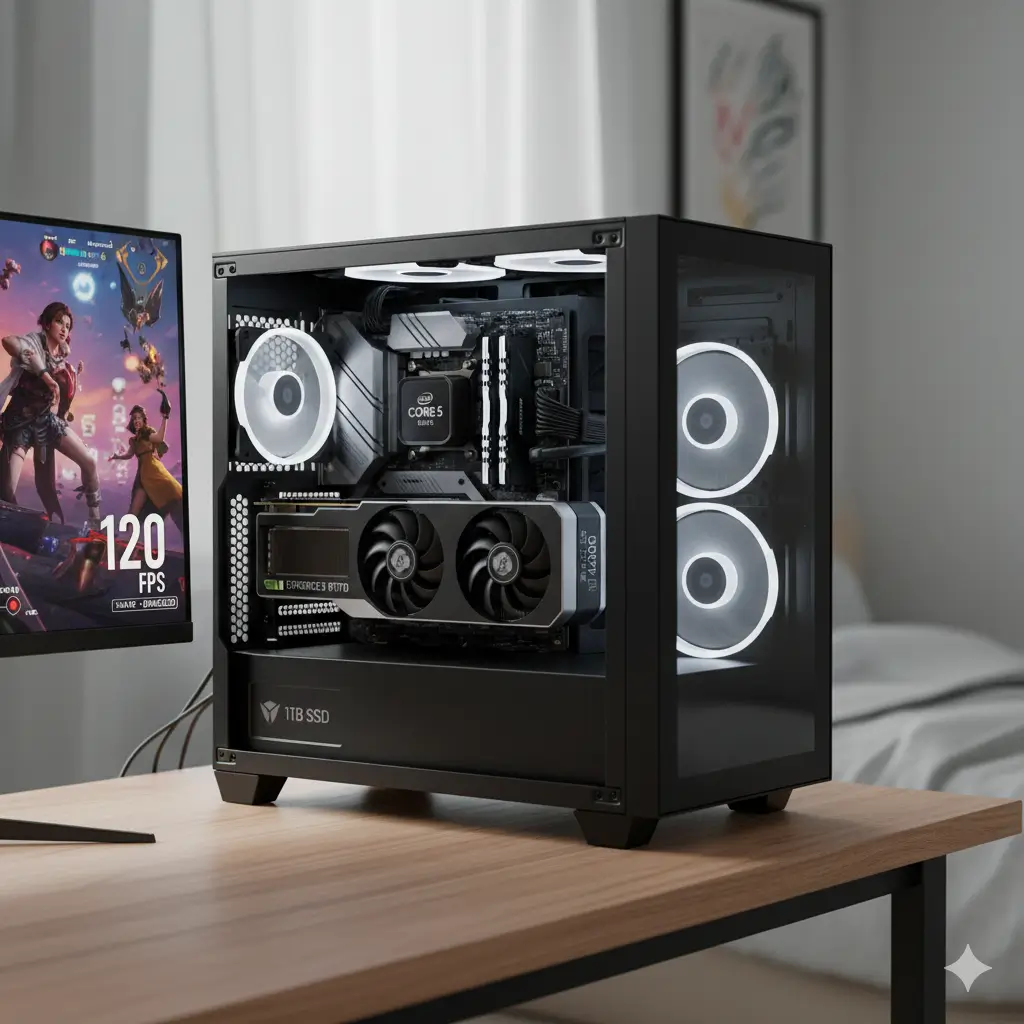

8 Best Gaming PCs For 2026 Ultimate Buyer S Guide The Budget Gaming Pc 2026.webp. Best Laptop For Online Selling Buy And Sell Used Laptops Near Me . 7 Best Windows Gaming Desktops To Buy In 2026 Windows Mode Panorama PC I9 2025 . Price Conscious Buyers Can Grab This Budget RX 9060 9600X Gaming PC Skytech Gaming Chronos 3 1 . Who Buys Computers Near Me Buyer Map Sellers Guide FAQ Selling Computer


Ultimate PC Buyer S Guide 2026 StinceBuilt Custom PCs Challenger Web LR 350x350 . The 2026 Indian PC Buyer Best Roadmap What To Buy Skip Wait Best Pc Buying Guide 1200x675 . How Much Should You Budget For A PC Computer Costs UK Blog Feature Image Bottom Text Blog TextTwitter 1536x864 . PC Prices Expected To Jump By Up To 8 In 2026 Notes Report TechPowerUp . PC Buyers Warned Of Possible Price Hikes In 2026 As Memory Shortages Screenshot 2025 10 17 224940 1024x818



Early 2026 Handheld PC Buyers Guide YouTube . 7 Best Laptops For Music Production 2026 Tested Develop Device Best Laptop For Music Production 2026 Mac Vs Pc . First Time Pc Buyer Is This Good R Prebuilts . What Are The Advantages And Limitations Of A Mini PC Photo Downloader 2026 01 . PC Buyers Face Shrinking Choices As Memory Shortages And Rising 2000 80





Dentist Near Me Franklin Dentist Care Default Large . Computer Training Center Near Me 2026 Computer Training Center Near Me . E Waste Scrap Buyers Near Me Online Fast Pickup India Cropped 20260116 182149.webp. Owning A Computer Repair Shop Near Me DML Owning A Computer Repair Shop Near Me Blog . PC Buyers Face Shrinking Choices As Memory Shortages And Rising



Best Scrap Metal Buyers Near Me May 2026 Find Nearby Scrap Metal Yelp Og Image . 7 Best Windows Gaming Desktops To Buy In 2026 Windows Mode 2024 Gaming PC 672x700 . Gold Buyers Near Me Discover Value With Robinson S Jewelers Robonsons Jewelers Gold Buyers Near Me . Perfect For Price Conscious Buyers Black Friday Sale Knocks Price Of IBUYPOWER Slate PC . Experts Warn PC Prices Could Rise Even More In 2026 As RAM Costs Set To 1920 80




Online Scrap Buyers In Hyderabad Scrap Buyers Near Me Green And White Modern Gardening Services Instagram Post 3 . Why RAM Is So Expensive In 2026 And What PC Buyers Should Do Dt Laptop Ram Upgrade Push . Who Buys Computers Near Me Buyer Map Sellers Guide FAQ Jewelers Who Buy Jewelry Near Me 520x245 . Who Buys Computers Near Me Buyer Map Sellers Guide FAQ Who Buys Computers . Top ASUS Laptops For A New Year 2026 Refresh Asus PC Buyers Guide P2 500x707

Find Local Gaming PC Builder Near You Airtasker US Gaming Pc Builder Near Me . What To Look For When Buying A Refurbished Gaming PC Processor GPU How To Choose The Best Refurbished Gaming Pc Buyers Guide. Fanatec Buyer S Guide 2026 Corsair Gaming Pc 768x817 . 7 Best Laptops For Music Production 2026 Tested Develop Device IMG 0018 . Secondhand Laptops Go Mainstream As Chip Shortages Squeeze New PC 1024 80