Are you a busy gamer juggling work and family, yet still craving that immersive Grand Theft Auto 5 experience? Navigating the intricate world of Los Santos, especially when you need to connect with crucial characters or fellow players, can sometimes feel like a mini-mission in itself. This comprehensive guide simplifies the process of how to call on GTA 5, ensuring you can quickly reach contacts for missions, services, or just a casual chat with friends online. We understand that your gaming time is valuable, so we cut through the noise to provide direct, actionable steps for using your in-game phone. Whether you are calling for a mechanic to deliver your favorite ride, contacting Lester for a quick mission, or coordinating with your crew for a heist, mastering the in-game phone is essential. Discover efficient methods and useful tips that will enhance your gameplay and keep you connected in the vast, dynamic universe of GTA 5. This article is tailored for the experienced gamer who wants to optimize their play without spending hours sifting through forums. Get ready to streamline your communication and dominate Los Santos with ease.
How do I make a standard call to a contact in GTA 5?
To make a call in GTA 5, press Up on the D-pad for consoles or the Up Arrow key on PC to open your phone. Then, navigate to the 'Contacts' app, scroll through your list to find the desired contact like Lester or the Mechanic, and press A (Xbox), X (PlayStation), or Enter (PC) to dial. This action will initiate the call, allowing you to access various services or advance mission objectives.
What is the quickest way to call specific services like the Mechanic or Pegasus?
The quickest way to call services such as the Mechanic for vehicle delivery or Pegasus for special vehicles in GTA 5 is through your in-game phone's 'Contacts' menu. Open your phone, select 'Contacts,' then quickly scroll to locate the specific service provider. Once highlighted, press the action button (A/X/Enter) to dial instantly. This bypasses tedious menu navigation, getting your desired service faster.
Can I call other players directly in GTA Online?
Yes, you can call other players directly in GTA Online. To do so, open your in-game phone, navigate to your 'Contacts' list, and if the player is a friend or in your current session, their name should appear. Select their name and dial. Alternatively, you can open the 'Players' menu (usually via the pause screen), select a player's name, and choose the 'Call' option to initiate communication.
What should I do if my in-game phone isn't working?
If your in-game phone in GTA 5 isn't working, first try restarting your game or, in Story Mode, switching to another character and then back. For GTA Online, ensure you have a stable internet connection. Also, check if you are in a mission or scenario where phone use might be restricted. If issues persist, verifying game files or checking for updates can often resolve the problem.
Are there any special numbers or cheats I can dial in GTA 5?
Unlike older Grand Theft Auto titles, GTA 5 does not primarily use phone numbers for cheat codes. Cheats are typically entered via direct input commands on controllers or keyboard. While there are no 'secret' numbers to dial for cheats, your phone is essential for accessing key in-game services like Mors Mutual Insurance or requesting your personal vehicle, which are vital game functions, not cheats.
How do I quickly hang up a call in GTA 5?
To quickly hang up a call in GTA 5, press the 'B' button on Xbox, the 'Circle' button on PlayStation, or the 'Right Click' mouse button or 'Backspace' key on PC. This action immediately terminates the active call, allowing you to swiftly return to gameplay without interruption. This function is designed for efficiency, ensuring minimal downtime during your Los Santos adventures.
Why is calling important for missions in GTA 5?
Calling is crucially important for missions in GTA 5 because it often serves as the primary trigger for progressing storylines and initiating objectives. Many missions require you to call specific characters like Lester, Franklin, or Michael to receive instructions, accept tasks, or coordinate events. Without utilizing the in-game phone for these calls, players may find themselves unable to advance through the game's narrative or access key mission setups and services.
For many US gamers, particularly those balancing demanding careers and family life, gaming serves as a vital escape and a way to connect with friends. With 87% of US gamers engaging regularly, often spending 10+ hours a week, every minute in a game like Grand Theft Auto V is precious. You want to dive into the action, not fumble with controls or waste time figuring out basic mechanics. One common challenge, often overlooked but crucial for seamless gameplay, is knowing precisely how to call on GTA 5 to interact with contacts, services, or even other players. Whether you are calling a mechanic for a speedy vehicle delivery, contacting Lester for a mission setup, or simply coordinating with your crew for an impromptu heist in GTA Online, mastering your in-game phone is fundamental to maximizing your Los Santos experience. This guide is tailored for you: the dedicated gamer who values efficiency, wants to sharpen their skills, and seeks practical solutions without the hype. We will equip you with all the knowledge needed to make calls effectively, troubleshoot common issues, and even discover a few advanced tricks to streamline your communication in the sprawling world of GTA 5. Let's ensure your time in Los Santos is spent on thrilling adventures, not frustrating phone calls.
How Do You Access Your Phone in GTA 5?
Accessing your in-game phone in Grand Theft Auto V is straightforward and serves as your primary tool for communication and interacting with various game services. For console players, simply press up on the D-pad to bring up the phone. PC users can typically access it by pressing the 'Up Arrow' key. This action will pop up your character's smartphone, displaying options like Contacts, Internet, Quick GPS, and other apps. It's designed to be quick and intuitive, reflecting the real-world ease of mobile access, which is something modern gamers, accustomed to mobile dominance in current trends, highly appreciate. Ensuring you can bring up your phone instantly is the first step to mastering in-game communication.
What Are the Main Functions of the In-Game Phone?
Your GTA 5 phone is far more than just a calling device; it is a multi-functional hub for all your Los Santos needs. Its primary functions include making calls to contacts for missions or services, browsing the in-game internet for purchases or information, using Quick GPS for setting waypoints, taking photos with the Snapmatic app, and even managing your in-game finances. In GTA Online, it expands further, allowing you to quickly join jobs, register as a CEO or MC President, and interact with various freemode activities. Understanding these core functions helps busy players make the most of their limited gaming time, as it centralizes many crucial actions into one accessible interface, saving valuable minutes during intense gameplay sessions.
How to Call Contacts for Missions and Services?
Calling specific contacts for missions and services is a core mechanic in GTA 5 and GTA Online. Once your phone is open (Up D-pad or Up Arrow key), navigate to the 'Contacts' app. Use the left and right directional buttons on your D-pad or the A/D keys on PC to scroll through your contact list. When you find the desired contact, such as 'Lester' for mission setups, 'Mechanic' for vehicle delivery, or 'Pegasus' for special vehicle requests, simply press the 'A' button (Xbox), 'X' button (PlayStation), or 'Enter' key (PC) to dial. The call will connect, and you will typically be presented with a menu of options or a direct conversation, allowing you to quickly progress in your game or access vital services. This streamlined process is essential for maintaining flow, especially during complex heists or time-sensitive objectives.
Can You Call Other Players in GTA Online?
Yes, calling other players is a fundamental social aspect of GTA Online, reflecting the growing trend of social gaming where connecting with friends is key. To call another player, open your phone and go to the 'Contacts' app. If the player is in your session and is a friend or crew member, they will often appear in your contacts list. Select their name and dial. Alternatively, if you need to call a player not in your direct contacts, you can open the 'Players' menu (usually via the pause menu or a dedicated in-game button) and select their name from the list, then choose the 'Call' option. This feature is vital for coordination, chat, and generally enhancing the cooperative and competitive multiplayer experience that many adult gamers find so rewarding after a long day.
Troubleshooting Common Calling Issues in GTA 5
Even in a polished game like GTA 5, you might occasionally encounter issues with your phone or making calls. Common problems include calls not connecting, the phone menu freezing, or certain contacts being unavailable. Here are some quick fixes:
- Restart the Game: Often, a simple game restart can resolve temporary glitches.
- Check Your Internet Connection: For GTA Online, a stable connection is crucial. Ensure your network is strong.
- Verify Mission Context: Some contacts or services are only available during specific missions or after certain story progressions. Make sure you are not trying to call someone out of context.
- Character Switch (Story Mode): In Story Mode, try switching to another character and then back. This can sometimes reset the game state.
- Report Bugs: If issues persist, especially after recent updates (which, as of this month, can sometimes introduce minor bugs), consider reporting it to Rockstar Support.
Solving these minor annoyances quickly means more time enjoying the game, a critical factor for gamers who value efficient problem-solving.
Are There Any Secret Phone Numbers or Cheat Codes in GTA 5?
While GTA 5 features a rich history of cheat codes entered via the in-game phone in previous iterations of the series, GTA V primarily moved cheat codes to direct input commands or a specific 'cheat menu' for consoles and PC. However, there are still a few 'special' numbers you might encounter. For instance, dialing your own number might trigger unique responses depending on character interactions. Furthermore, in GTA Online, while not 'secret numbers,' certain services like Mors Mutual Insurance or the Los Santos Customs (for vehicle modifications) can be quickly accessed via your phone, even if they are not explicitly listed in 'Contacts' as a dialable number. Keep an eye on online communities and gaming forums; sometimes players discover unique interactions, though direct phone-based cheat codes are largely a thing of the past in this title.
How to Quickly End a Call in GTA 5?
Ending a call in GTA 5 is as simple as making one, allowing you to get back into the action without delay. For console players, typically pressing the 'B' button (Xbox) or 'Circle' button (PlayStation) will hang up the call. On PC, the 'Right Click' mouse button or the 'Backspace' key usually serves this function. It is designed for quick disengagement, which is particularly useful when you have completed a service request or need to drop a conversation mid-action. This efficiency is a small but significant detail that enhances the overall gameplay experience, allowing you to maintain immersion without unnecessary pauses, a subtle nod to optimizing performance for busy adult gamers.
Optimizing Your Phone Use for Faster Gameplay
For those who balance gaming with life, every second counts. Optimizing your GTA 5 phone usage can shave precious minutes off your gameplay. Here are some tips:
- Memorize Key Contacts: Over time, you will learn the positions of frequently called contacts like the Mechanic or Lester, allowing for faster navigation.
- Use Quick GPS Efficiently: Instead of opening the full map, use the Quick GPS feature to set immediate destinations like your apartment or nearest Ammu-Nation.
- Prioritize Services: Understand which services are time-critical (e.g., calling for a helicopter to escape) versus those that can wait.
- Companion Apps (if available for GTA+): While the iFruit app is older, future companion app integrations for gaming (a growing trend, especially with mobile cross-play) could offer even faster ways to manage certain in-game phone functions remotely.
By streamlining these interactions, you ensure your gaming sessions are focused on fun, skill-building, and social play, rather than menu navigation.
What Role Does Communication Play in GTA Online Heists?
Communication is the backbone of successful heists in GTA Online. While the in-game phone is primarily for calling NPCs or setting up services, voice chat and text messages are crucial for player-to-player coordination during heists. The ability to quickly assign roles, strategize on the fly, and warn teammates of impending threats makes the difference between success and failure. Many US gamers utilize external voice communication platforms like Discord alongside the in-game chat to ensure clear, uninterrupted comms, reflecting a broader social gaming trend. This month's trends continue to show that social interaction and coordinated play are key drivers for engagement, making efficient communication a top priority for crews tackling complex heists.
How Do In-Game Phone Interactions Reflect Modern Gaming Trends?
The GTA 5 in-game phone, despite the game's age, remarkably reflects several modern gaming trends. Firstly, its design mirrors real-world smartphones, appealing to a generation accustomed to mobile dominance in daily life. Secondly, the integration of services, contacts, and even social media (like Snapmatic) within the phone centralizes utility, aligning with user interfaces that prioritize ease of access—a key for gamers who want value for their money and streamlined experiences. Thirdly, the need to call contacts for specific services highlights the progression and depth in open-world games, where player agency through communication is crucial. Finally, the social aspect, allowing players to call friends in GTA Online, directly taps into the social gaming trend, where building connections and playing with others is a major draw for the average US gamer.
Conclusion
Mastering how to call on GTA 5 is more than just a simple mechanic; it is a gateway to a more efficient, enjoyable, and connected experience in Los Santos. For gamers who expertly balance work, family, and a passion for virtual worlds, every moment spent playing should be seamless and rewarding. By understanding how to quickly access your phone, utilize its various functions for missions and services, and troubleshoot any hiccups, you empower yourself to navigate the vast game world with confidence. Whether you are orchestrating a complex heist with your crew or simply requesting your favorite car, efficient communication is key to maximizing your fun. We hope this guide helps you spend less time fumbling and more time dominating the streets of San Andreas.
What's your biggest gaming challenge when it comes to in-game mechanics? Comment below!
Frequently Asked Questions
How do I make a standard call to a contact in GTA 5?
To make a standard call in GTA 5, open your phone by pressing Up on the D-pad (consoles) or Up Arrow (PC). Navigate to the 'Contacts' app, scroll to the desired contact using directional buttons or A/D keys, and press A/X/Enter to dial. This quickly connects you to characters or services for missions or other requests.
What is the quickest way to call specific services like the Mechanic or Pegasus?
The quickest way to call services like the Mechanic or Pegasus is to open your phone, go to 'Contacts,' and scroll directly to their entry. Once highlighted, press the action button (A/X/Enter) to instantly dial. These contacts are usually listed alphabetically or as common services, making them easy to find for essential vehicle deliveries or specialized transport.
Can I call other players directly in GTA Online?
Yes, you can call other players directly in GTA Online. Open your phone, go to 'Contacts,' and select their name if they are a friend or in your current session. Alternatively, access the 'Players' list from the pause menu, select the player, and choose the 'Call' option. This facilitates direct communication for coordination and social play.
What should I do if my in-game phone isn't working?
If your in-game phone isn't working, first try restarting the game or switching characters in Story Mode. For GTA Online, ensure your internet connection is stable. Also, verify that the contact or service you are trying to reach is available within your current mission or game state. Persistent issues may require checking for game updates or contacting support.
Are there any special numbers or cheats I can dial in GTA 5?
While GTA 5 does not feature traditional phone-dialed cheat codes like older GTA titles, you can still access various in-game services and contacts through your phone. There are no 'secret numbers' that unlock cheats, as cheats are typically entered via direct input commands. However, some services like Mors Mutual Insurance are key phone contacts.
How do I quickly hang up a call in GTA 5?
To quickly hang up a call in GTA 5, press the 'B' button (Xbox), 'Circle' button (PlayStation), or 'Right Click' mouse button/'Backspace' key (PC). This instantly terminates the call, allowing you to return to gameplay without interruption. It's a useful shortcut for maintaining game flow after receiving a service or information.
Why is calling important for missions in GTA 5?
Calling is important for missions in GTA 5 because it often triggers mission progression, allows you to receive vital information, or requests crucial services from NPCs like Lester or the Mechanic. Many story and side missions require you to call a contact to start or advance a task, making phone communication an integral part of the game's narrative and mechanics.
Mastering the in-game phone in GTA 5 for quick communication. Calling contacts for missions and services effortlessly. Connecting with online friends for social play. Essential tips for efficient phone usage in Los Santos. Optimizing gameplay for busy adult gamers.
35


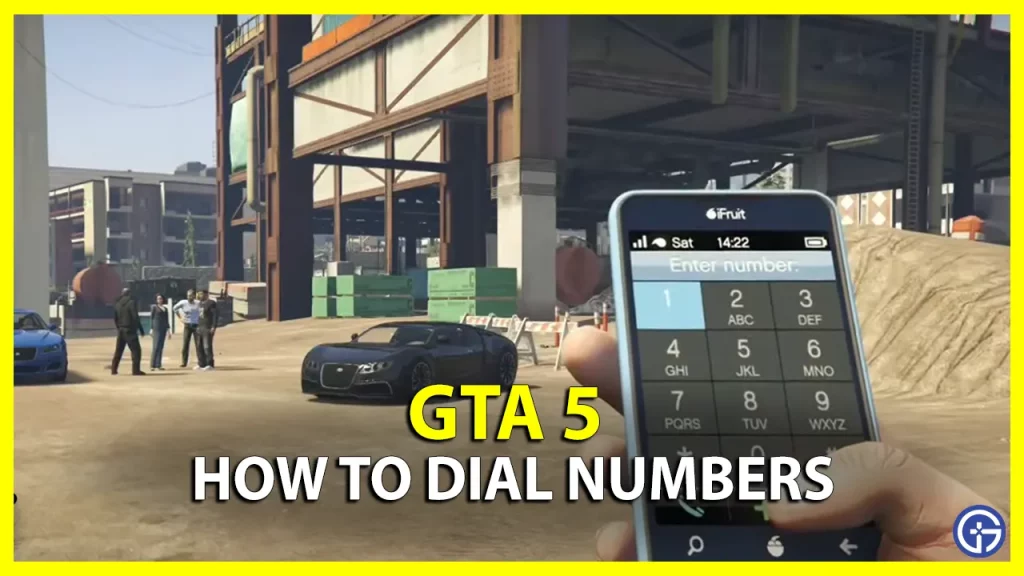
How To Call Other Players In GTA 5 Online On PS4 PS5 Xbox Or PC Fast . Calling Fire Department In GTA 5 911 Emergency Guide How To Call . How To Dial Numbers On GTA 5 Gta V Me Phone Numbers Kese Dial Kare . How To Open Phone Dial Numbers In GTA 5 Easy Guide YouTube . How To Dial Numbers In GTA 5 Xbox PS And PC Gamer Tweak How To Dial Numbers In GTA 5


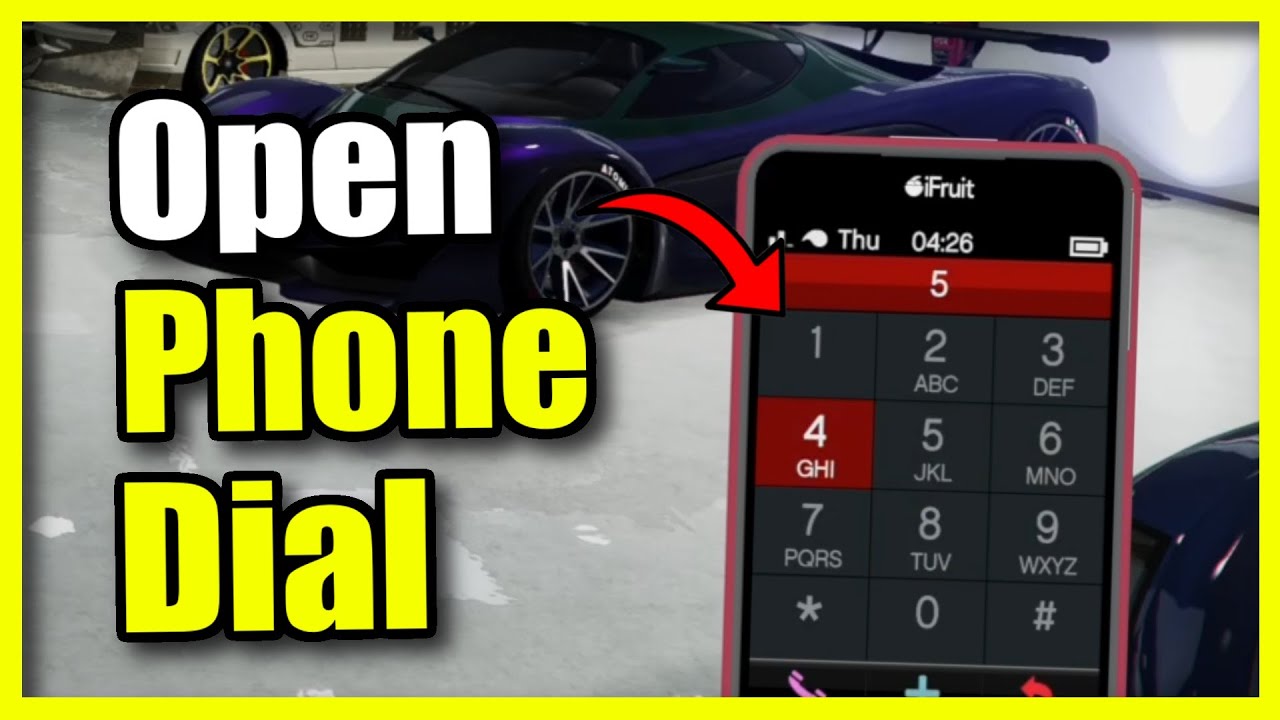

GTA 5 Online What It Means To Be On Call And How To Do It YouTube . How To Use Your Phone To Dial Numbers Or Add Cheat Codes In GTA 5 PS5 . How To Open Phone And Dial Number In GTA 5 Full Guide YouTube . How To Open Phone Dial Numbers In GTA 5 PS5 Xbox PC YouTube . These Secret GTA 5 Phone Numbers Still Work 2026 YouTube
-lg_modland.webp)
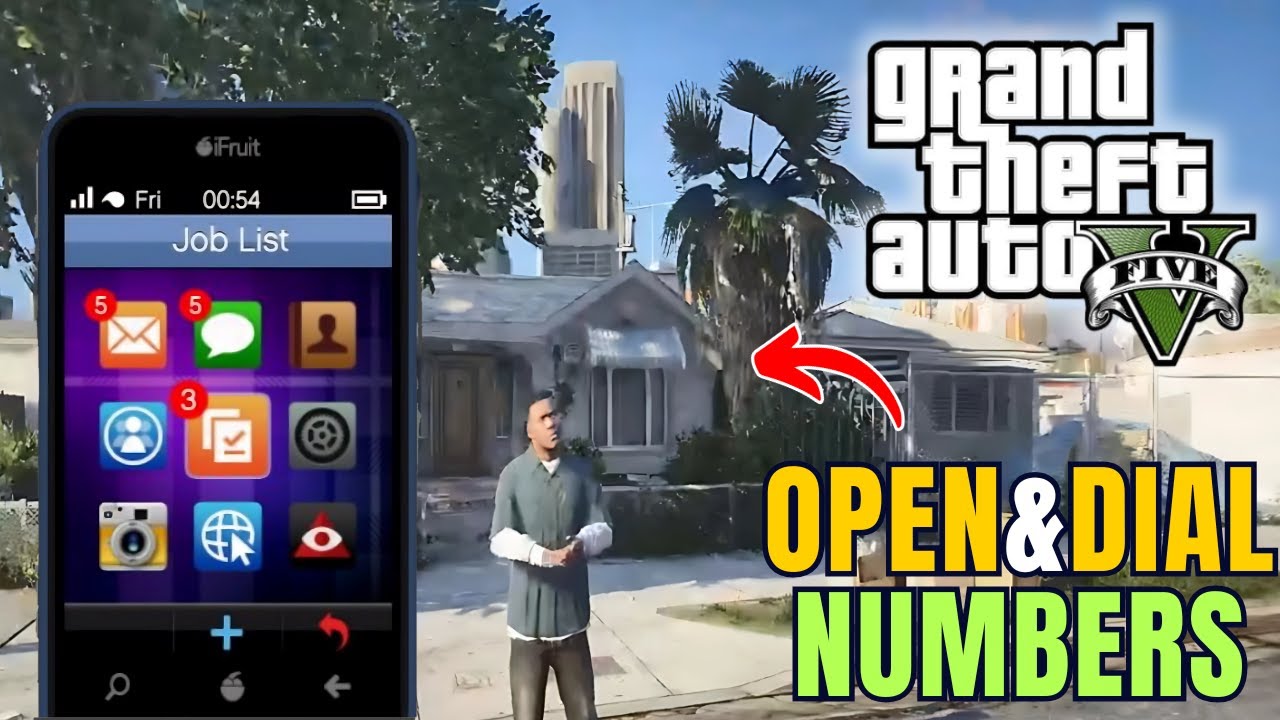
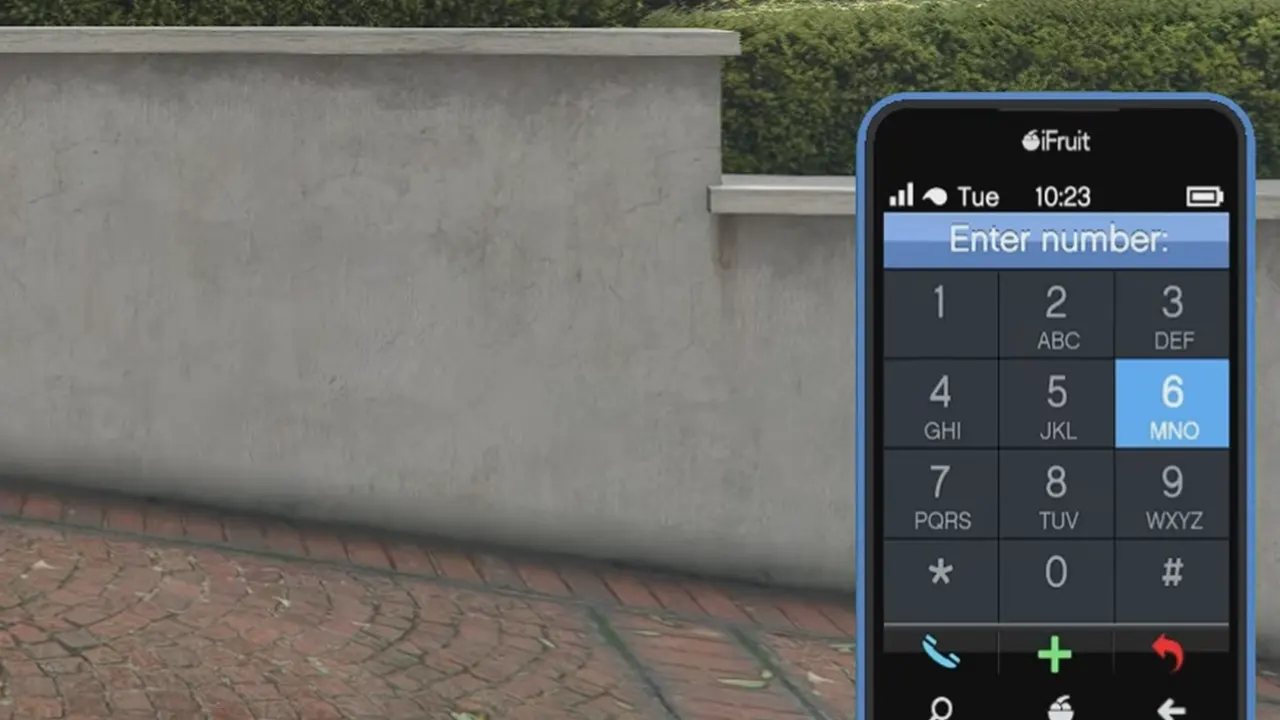


How To Open Phone And Dial Numbers In GTA 5 GTA 5 (1) Lg. How To Open Phone And Dial Number In GTA 5 YouTube . How To Dial Numbers In GTA 5 Xbox PS And PC Gamer Tweak GTA 5 How To Dial Phone. Can You Play GTA V On Mac In 2026 Here S What You Need To Know TUAW Image 1 1 . How To Open Phone In GTA 5 GTA 5 How To Pull Up Phone How To Bring Hqdefault


ALL Upcoming 2026 GTA 5 Online DLC Leaks New Businesses New Cars . How To Open Phone Dial Numbers In GTA 5 YouTube . GTA 5 All New Secret Phone Cheats And Cheat Codes In Story Mode . How To Dial A Number In Gta V Xbox PS4 Etc 2021 Updated YouTube Hqdefault . GTA 5 Cell Phone Cheats And Numbers HDG GTA 5 Cell Phone Cheats And Numbers





How To Open Phone DIAL NUMBERS In GTA 5 Full Guide 2025 YouTube . Gta V How To Dial Numbers YouTube Hqdefault . GTA 5 Cheats 2026 GTA 5 Cheats 2026 . GTA 5 TOP Secret Phone Number In 2020 Grand Theft Auto 5 Very Easy . How To Enter Phone Number In GTA 5 YouTube



How To Open Phone Call Numbers In GTA V In PC Using Mouse Only YouTube . Toyota GR GT 2026 V1 0 Para GTA 5 File 234914 Es . How Do You Call Your Car In Gta 5 At Patricia Furman Blog . How To Enhance GTA 5 Loop 2026 QUICK FIX YouTube . GTA 5 Cheat Codes 2026 PC PS5 PS4 Full Story Mode Guide Download 49 1 1536x857




Tanisha Calls Franklin After The Third Way Unique Phone Call 67 . HOW TO DIAL NUMBERS IN GTA 5 Xbox Playstation PC YouTube . How To Call And Dial Number In GTA 5 YouTube . 2026 Grand Theft Auto Universe Wiki Fandom 1200. How To Call 911 On Gta 5 Online At Tristan Oflaherty Blog